Bringing in your YouTube saves
Import from YouTube (on the full page, or Settings) brings in Watch Later and your playlists, read through your own YouTube tab, signed in. Nothing changes on YouTube, and nothing is saved until the last step.
- What to import: everything, one playlist, or a Google Takeout file (which also keeps the dates you added each video).
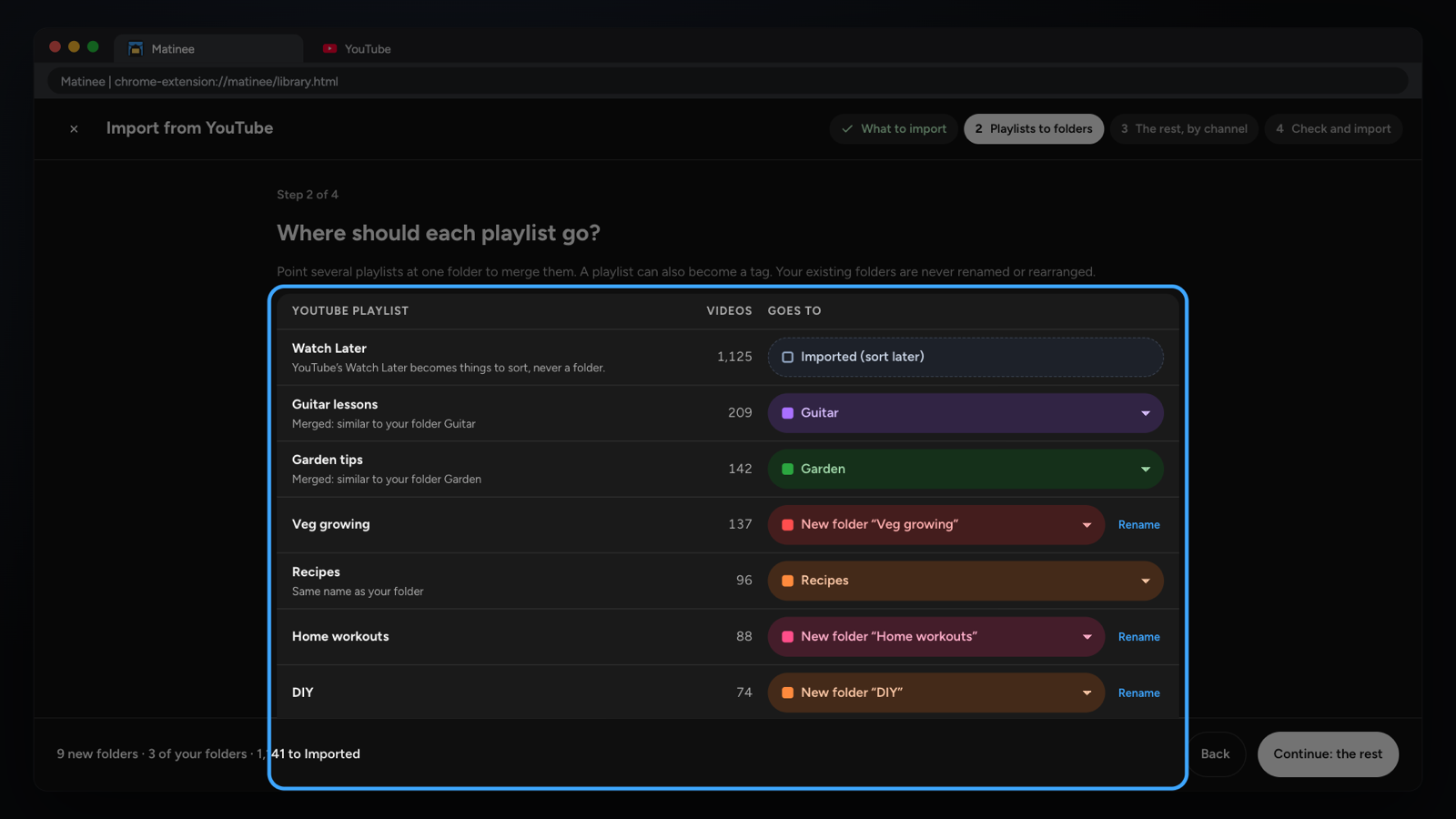
- Playlists to folders: each playlist goes to a new folder, merges into one you have, becomes a tag, goes to Imported, or is skipped. Watch Later and tiny playlists go to Imported.
- The rest, by channel: one choice per channel files many at once.
- Check and import: the preview, then Import. Pause or Cancel while it runs; afterwards Undo this import takes it all back out (for 30 days, on the Imported page). Anything you've already got is never changed.
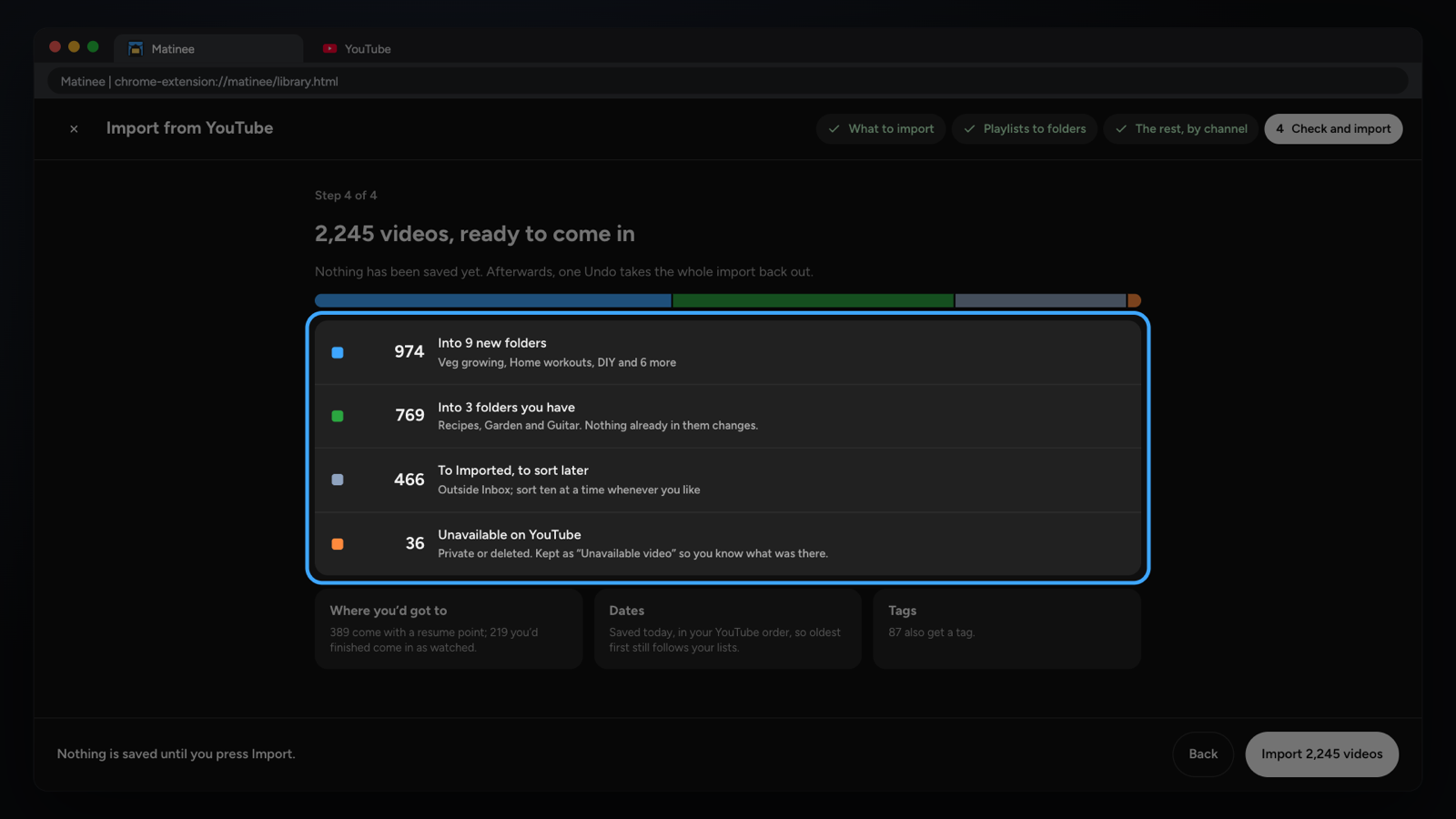
Imported videos wait outside your Inbox, so it still means things you saved recently. Sort them ten at a time with Sort 10.
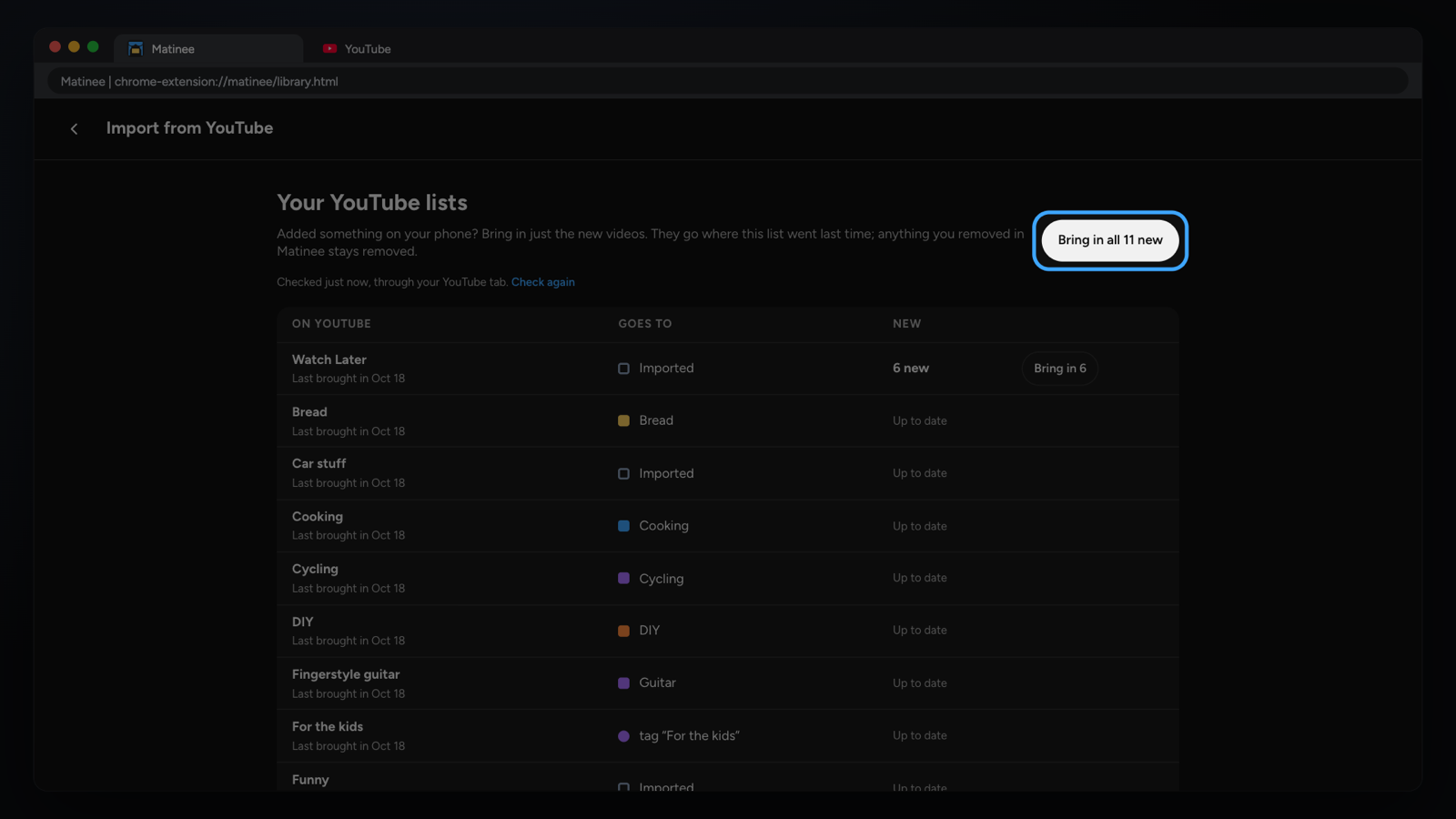
Added more on YouTube since? Your YouTube lists (Import, or Settings) checks each list you imported and brings in only what's new, filed the same way. Open one of those playlists on YouTube and the panel offers to check it too.